How to Safely Clean Your Phone and Keyboard Without Damage

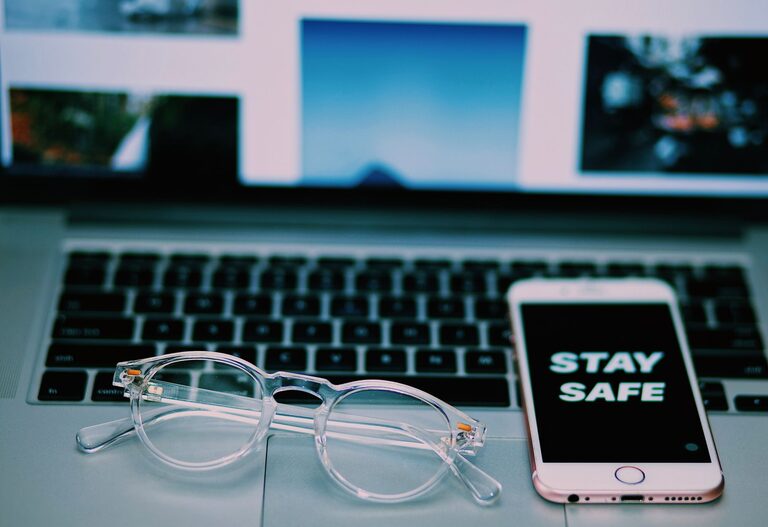
Keeping your phone and keyboard clean is essential not only for hygiene but also for maintaining the longevity and performance of your devices. Regular cleaning helps remove dirt, oils, and germs, especially since these devices are handled frequently throughout the day. However, using the wrong cleaning methods or products can cause damage. This guide will provide you with safe, effective ways to clean your phone and keyboard to keep them looking and working their best.
Why Clean Your Phone and Keyboard?
Phones and keyboards are among the most commonly touched items, making them hotspots for bacteria and grime. Over time, dust, food particles, and oils from your skin accumulate, which can affect device function and appearance. Cleaning these items regularly reduces the risk of transferring germs and can help prevent keys from sticking or touchscreens from becoming unresponsive.
—
What You’ll Need for Safe Cleaning
Before you start, gather the following supplies to ensure a gentle yet effective cleaning process:
– Microfiber cloths (soft, lint-free)
– Isopropyl alcohol (70% or less concentration)
– Distilled water
– Cotton swabs or soft-bristle brushes
– Compressed air canister (optional)
– Mild soap (optional)
– Rubber gloves (optional for sensitive skin)
Avoid harsh chemicals like bleach or abrasive cleaners, as they can damage surfaces and coatings.
—
How to Safely Clean Your Phone
Step 1: Power Off Your Device
Before cleaning, turn off your phone and unplug any cables. This minimizes the risk of electrical damage or accidental inputs.
Step 2: Remove Cases and Accessories
Take off any phone cases, screen protectors, and accessories to clean all surfaces thoroughly.
Step 3: Wipe the Exterior
– Mix a 1:1 solution of distilled water and isopropyl alcohol in a small spray bottle if needed.
– Lightly dampen a microfiber cloth with the solution. Avoid soaking it.
– Gently wipe the phone’s surfaces, including the screen, back, and sides.
– Avoid spraying liquids directly onto your phone to prevent moisture from entering openings.
Step 4: Clean Ports and Buttons
– Use a dry cotton swab or soft-bristle brush to remove dust around buttons and inside ports.
– Compressed air can be used carefully to blow out any debris without pushing it deeper.
Step 5: Disinfect (Optional)
If you want to disinfect your phone, use disinfectant wipes approved by the device manufacturer or wipes containing at least 70% isopropyl alcohol. Make sure they are not overly wet.
Step 6: Dry and Reassemble
– Use a dry microfiber cloth to remove any remaining moisture.
– Wait a few minutes for the phone to dry completely before turning it back on and reattaching cases.
—
How to Safely Clean Your Keyboard
Step 1: Unplug or Turn Off Your Keyboard
Disconnect your keyboard from your computer or power source to avoid accidental key presses or damage.
Step 2: Shake Out Loose Debris
Turn the keyboard upside down and gently shake it to dislodge crumbs, dust, and other particles.
Step 3: Use Compressed Air
Spray compressed air between the keys to clear out stubborn debris. Hold the can upright and use short bursts to avoid moisture buildup.
Step 4: Clean the Key Surfaces
– Lightly dampen a microfiber cloth with a mixture of mild soap and distilled water.
– Wipe the tops and sides of the keys.
– For small spaces between keys, use cotton swabs dipped in the solution but wrung out thoroughly.
Step 5: Disinfect (Optional)
To disinfect, use disinfectant wipes safe for electronics or wipes with at least 70% isopropyl alcohol. Avoid excess moisture.
Step 6: Dry Thoroughly
Use a dry microfiber cloth to remove any moisture. Allow the keyboard to air dry for a few minutes before reconnecting.
—
Tips for Maintaining Clean Devices
– Wash your hands before using your phone and keyboard.
– Avoid eating near your devices to prevent crumbs and spills.
– Clean your devices at least once a week or more often if you use them heavily.
– Use screen protectors and keyboard covers to reduce buildup and simplify cleaning.
– Keep liquids away to avoid accidental spills.
—
What to Avoid When Cleaning Electronics
– Do not spray liquids directly onto devices.
– Avoid abrasive cloths or paper towels that can scratch surfaces.
– Do not use bleach, ammonia-based cleaners, or household disinfectants unless specified safe for electronics.
– Avoid soaking cloths or cotton swabs, as excess moisture can damage internal components.
– Never submerge your phone or keyboard in water.
—
Final Thoughts
Regular, gentle cleaning of your phone and keyboard is the best way to keep these essential devices hygienic and functioning well. With just a few simple supplies and precautions, you can safely remove dirt and germs without worrying about damage. Incorporate these routines into your weekly cleaning habits to enjoy cleaner, healthier devices that last longer.